
Tech Blog
BLOG
PS5 Overheating? Cleaning and Repair in El Monte
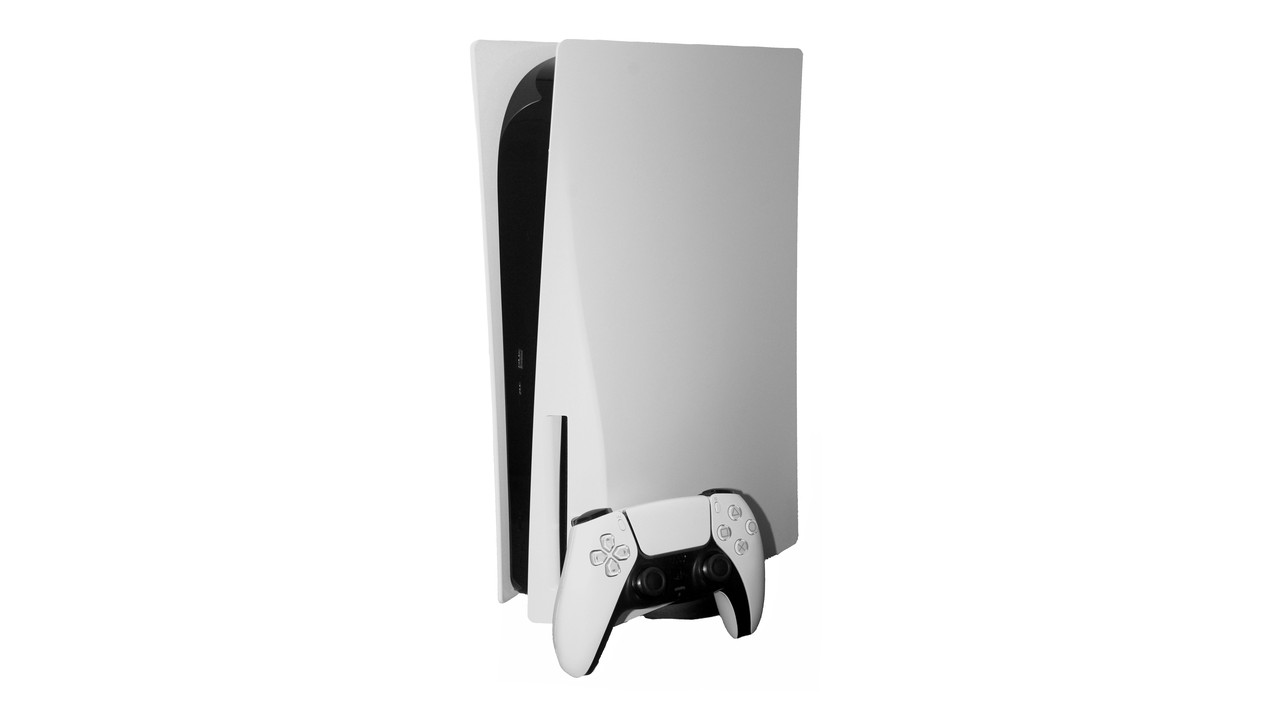
If your PS5 is overheating — a loud fan, an on-screen temperature warning, or a shutdown mid-game — dust, a tight shelf, and demanding graphics settings may all be part of the problem. This guide covers the warning signs, Sony's ventilation advice, how a professional hardware clean-up and liquid metal refresh can help, and which in-game settings reduce load and heat. For PS5 cleaning in El Monte or PS5 repair in El Monte and the San Gabriel Valley, IDOTECH can help at our shop on Valley Blvd.
Signs your PS5 may be overheating
Not every noisy session means the hardware is failing. Sony notes that during some games the cooling fan can run louder than usual because it is temporarily working faster to cool the system. That can be normal. Watch for a pattern instead: a fan that stays loud in the menus or lighter games; Sony's overheating warning on screen; unexpected shutdowns during a long session; or unusually hot exhaust from the rear vent.
Sony's safety guidance says that if the console becomes too hot, a notification appears on screen. Turn the console off and wait until it cools. Continued use while that message is displayed may lead to the console becoming non-operational. Then move it to a well-ventilated area that is not subject to high temperatures, and check that the vents are not blocked.
Give the console room to breathe
Before you open anything, check where the PS5 sits. In its support guidance on console noise and overheating, Sony recommends keeping the side and back air vents clear, with at least 10 cm (about 4 inches) of free space around each side; not placing the console on a carpet or rug with long fibers; not placing it in a narrow or cramped space; and not letting dust build up in or around the vents. The safety guide also says not to use the console in a closed cabinet where heat may build up, and not to cover it with cloth. Tight entertainment centers and shelves pushed against a wall are frequent problems we see from customers in El Monte and the San Gabriel Valley.
For a basic exterior cleaning, Sony says to disconnect the AC power cable from the rear of the system first, then use a low-powered vacuum on and around the air vents. The safety guide notes that you can also remove the outer covers and vacuum dust trapped underneath. Those side panels are designed to come off. That is the limit of what Sony documents as user maintenance.
How a professional hardware clean-up helps
Vacuuming the vents is a good start, but it is not always enough. Dust also settles on the fan blades, in the dust catchers, across the heatsink fins, and along the internal airways. Once those paths are clogged, the fan has to spin harder and the processor still runs hotter than it should.
A professional clean-up goes further than the side panels. In the shop, a technician can clear the vents and the dust traps Sony built into the console, clean the cooling fan and heatsink fins, and inspect the cooling path for anything else restricting airflow. Many overheating complaints improve once the fan and heatsink are actually clean. For broader console-care habits, see our guide on keeping a game console running smoothly. IDOTECH offers this work in store in El Monte. PlayStation repair is part of what we do on site, and walk-ins are welcome. Read more on our in-store repairs page.
Liquid metal reapplication — what it is, and what it is not
The PlayStation 5 does not use ordinary thermal paste from the factory. In Sony's official PS5 teardown, the company explained that the console uses liquid metal as the thermal interface material — the layer that transfers heat from the processor to the heatsink — after more than two years of testing, for long-term, stable cooling on a small, high-clock chip.
A "new liquid metal application" is not an upgrade from paste. It is a professional reapplication, or refresh, of the factory-style thermal interface when the original material has dried, oxidized, or spread unevenly. Repair guides such as iFixit's note that this can happen over time and can contribute to overheating. In that case, the old material is cleaned off and a fresh, carefully contained layer is applied.
This is not a good do-it-yourself project. Liquid metal is electrically conductive. If it spreads onto the circuit board or nearby components, it can short the hardware and cause serious damage. It also has to stay contained on the processor die.
Warranty matters too. Removing the snap-off side covers to vacuum dust is user maintenance Sony itself describes. Going further — removing the fan, lifting the heatsink, and working on the processor's thermal interface — is internal service. Sony's U.S. and Canada limited hardware warranty, which generally runs one year from the original date of purchase for the original purchaser, does not apply to damage caused by service performed by anyone who is not a representative of Sony Interactive Entertainment or an SIE-authorized service provider, or to opening the product or any action taken within it by anyone other than SIE or an authorized provider. If your PS5 is still under warranty and the issue looks like a defect, consider Sony's official repair process first. If the warranty period has ended, or you choose a local shop for a cleaning and thermal refresh, IDOTECH can do that work in El Monte. We are a local repair shop; we are not claiming to be a Sony-authorized service facility.
Turn down the graphics load to make less heat
The more demanding a game's settings, the harder the system works, and the more heat it has to move through the fan and heatsink. You can often reduce that load in the game's menus, without opening the console. Many PS5 games offer a Fidelity, Quality, or Resolution mode that prioritizes image quality — higher resolution, heavier effects, and, in many titles, ray tracing — and often targets 30 frames per second. A Performance mode typically lowers resolution or effects to target a higher frame rate, often 60 frames per second, and frequently disables or simplifies ray tracing. If a game lets you turn ray tracing off, that reduces how hard each frame is to render.
A frame-rate cap helps too. If your TV supports 120 Hz, some games add high-refresh or uncapped options. Those modes can look smoother, but they can also make the system draw more frames and run hotter. When heat is the concern, a capped Performance or standard mode is the more conservative choice. These tweaks will not fix a packed fan or a worn thermal interface, but they can take pressure off a console that is already running warm.
Bring your PS5 to IDOTECH in El Monte
If your console is still loud after you have given it space, vacuumed the vents, and lowered in-game settings, it is time for a proper clean-up and, if needed, a liquid metal refresh. IDOTECH's shop at 11833 Valley Blvd in El Monte provides in-store PlayStation repair, including hardware cleaning and thermal service, for customers across the San Gabriel Valley. Walk-ins are welcome. Bring the console in, tell us what you are seeing, and we will inspect it and explain the work before we proceed. You can also contact us at (626) 542-9935 or
FAQ
- Why is my PS5 fan so loud?
- Sony says a louder fan during some games is normal. A fan that stays loud in menus or lighter games, or a warning on screen, is more likely a placement, dust, or thermal-interface issue.
- Can I clean a PS5 at home?
- Yes, for the exterior. Unplug the power cable first, keep 10 cm of space around the console, and use a low-powered vacuum on the vents. Sony also documents removing the outer covers to vacuum dust underneath. Do not attempt a liquid metal reapplication yourself.
- Does a liquid metal refresh void the Sony warranty?
- Opening the console beyond the user-removable side covers, or having anyone other than Sony or an authorized provider work inside it, can mean Sony's limited hardware warranty does not apply. If you are still within the warranty period, check Sony's official repair options first.
- Will lowering graphics settings stop PS5 overheating?
- It can help. Performance mode, turning off ray tracing where the game allows it, and using a frame-rate cap reduce how hard the hardware works. They will not clear a clogged fan or replace a worn thermal interface.
- Do you offer PS5 cleaning and repair in El Monte?
- Yes. IDOTECH provides in-store PlayStation repair, including cleaning and thermal service, at 11833 Valley Blvd in El Monte, serving the San Gabriel Valley. Walk-ins are welcome.
This article is brought to you by IDOTECH LLC in El Monte, CA. Contact us at (626) 542-9935 or